Rocket flight simulator
What it is
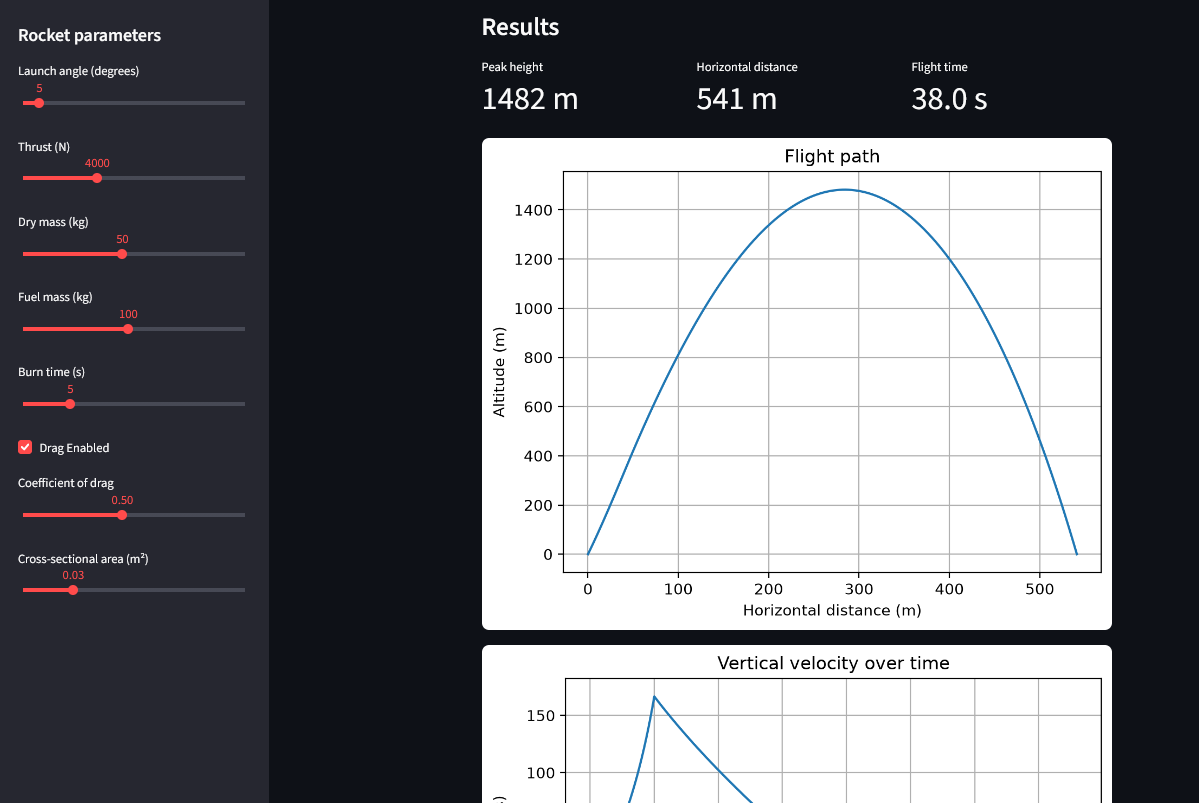
An interactive simulator of a rocket's flight, built from scratch in Python. You set the thrust, mass, fuel, burn time, launch angle, and drag, and the app computes the full trajectory and shows the flight path, the velocity over time, and the g-forces the rocket experiences. The point was to build the physics honestly, one force at a time, and watch how each one changes the flight.
Try it
The app is embedded below. Streamlit Community Cloud puts free apps to sleep when nobody is using them, so the first load can take a minute or two. Once it wakes up, it runs normally.
 ▶ Load the live app
How it works
The method. The simulator integrates Newton's second law step by step. At each moment it adds up the forces acting on the rocket, divides by the rocket's mass to get its acceleration, and uses that to update the velocity and position. Each step is a hundredth of a second at a time, from launch until the rocket returns to the ground. This is numerical integration, the same idea behind most physics simulation.
Building it in layers. I didn't write the whole thing at once. I started with the simplest possible case of an object in free fall and checked the result against something I already knew from physics class: a stone dropped from 100 m should hit the ground in about 4.5 seconds. Once that matched, I added the next force, verified it the same way, and only then moved on. Thrust, then variable mass, then air drag, then the second dimension. Each layer was a small program that I could check against a known result, and only when it worked did I add the next layer. This is how I built the full simulator.
The forces. Thrust pushes the rocket along its axis, but the rocket loses mass as it burns fuel, so the same thrust accelerates it more and more as it gets lighter — this is the heart of how rockets work. Gravity pulls it down and weakens slightly with altitude. Air drag always opposes the motion, grows with the square of speed, and fades as the air thins out higher up. A checkbox turns drag on and off, which makes its effect impossible to miss: without it, the rocket flies absurdly high; with it, the trajectory becomes realistic.
What surprised me
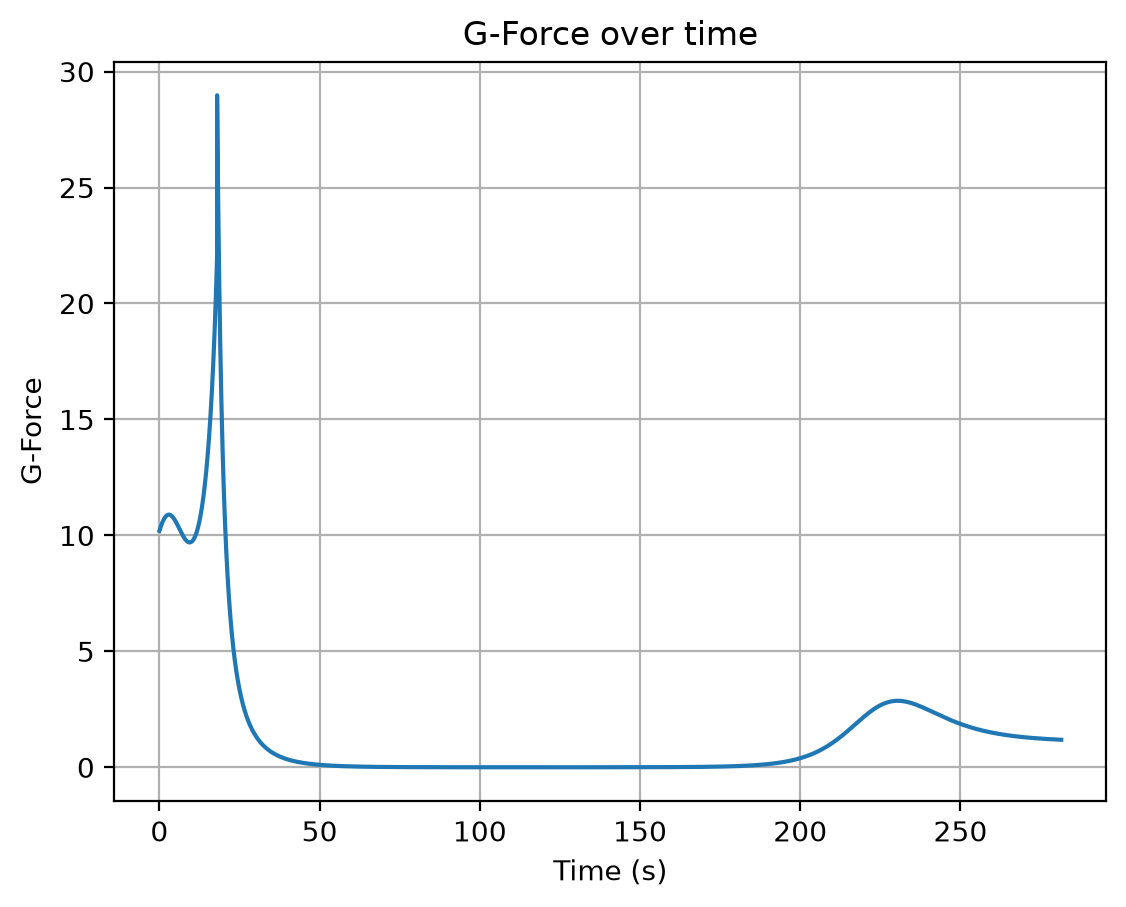
Building the model in layers meant I could trust each piece — but the combination produced behaviour I never explicitly programmed. On the way back down, the rocket falls through thin air high up and picks up enormous speed, and then the thickening air slows it down, exactly the way a re-entering capsule behaves. On the g-force plot there is a strange double peak during the burn: the rocket accelerates, then air drag catches up and briefly wins as speed rises, then the falling mass and thinning air push the acceleration back up. Neither of these was a feature I added. They emerged from the physics.
Key features
- 2D trajectory model built on step-by-step numerical integration
- Variable mass, altitude-dependent gravity, exponential atmosphere model
- Live plots: flight path, vertical velocity, and g-force over time
- Toggle to compare flight with and without air drag
- Interactive sliders for thrust, mass, fuel, burn time, and launch angle
Future updates
- Earth rotation effects
- Orbital mechanics
- Multi-stage rockets
What I learned
The main lesson from this project is that a simulation is only as trustworthy as your ability to check it. Building in layers and testing each one against a result I already knew was what kept the physics honest — it is easy to write code that produces a plausible-looking curve and never notice it is wrong.
Links
- Source code on GitHub — the full simulation source code.
- Live app on Streamlit — the same app as above, in its own tab.